Inspection Groups
- Company
- Accela
- My role
- Lead Product Designer
- Platform
- Responsive Web App
- Outcome
- System Usability Score up 12%
Setting up inspection groups was one of the hardest, costliest parts of onboarding a new agency. I remapped the data relationships and redesigned the admin screens, raising the System Usability Score 12%.
Objective: Streamline Implementation
For an old, large, enterprise, government suite of applications the most expensive part of adding a new customer is implementation. It is expensive for both the customer and us. Hours of training and services are devoted to proper application set-up. The easier and faster we make it, the better for both parties.
Problems to Solve:
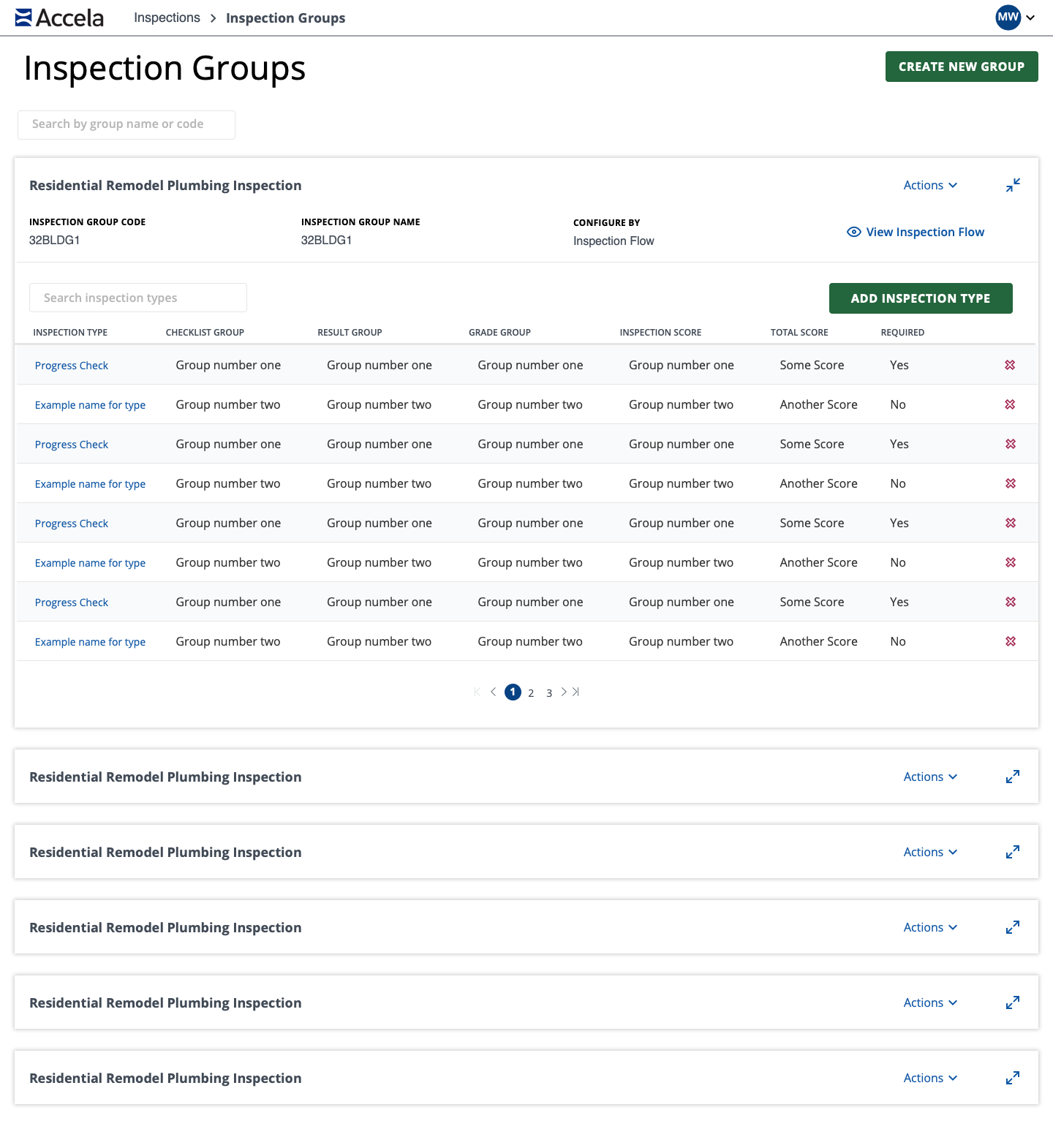
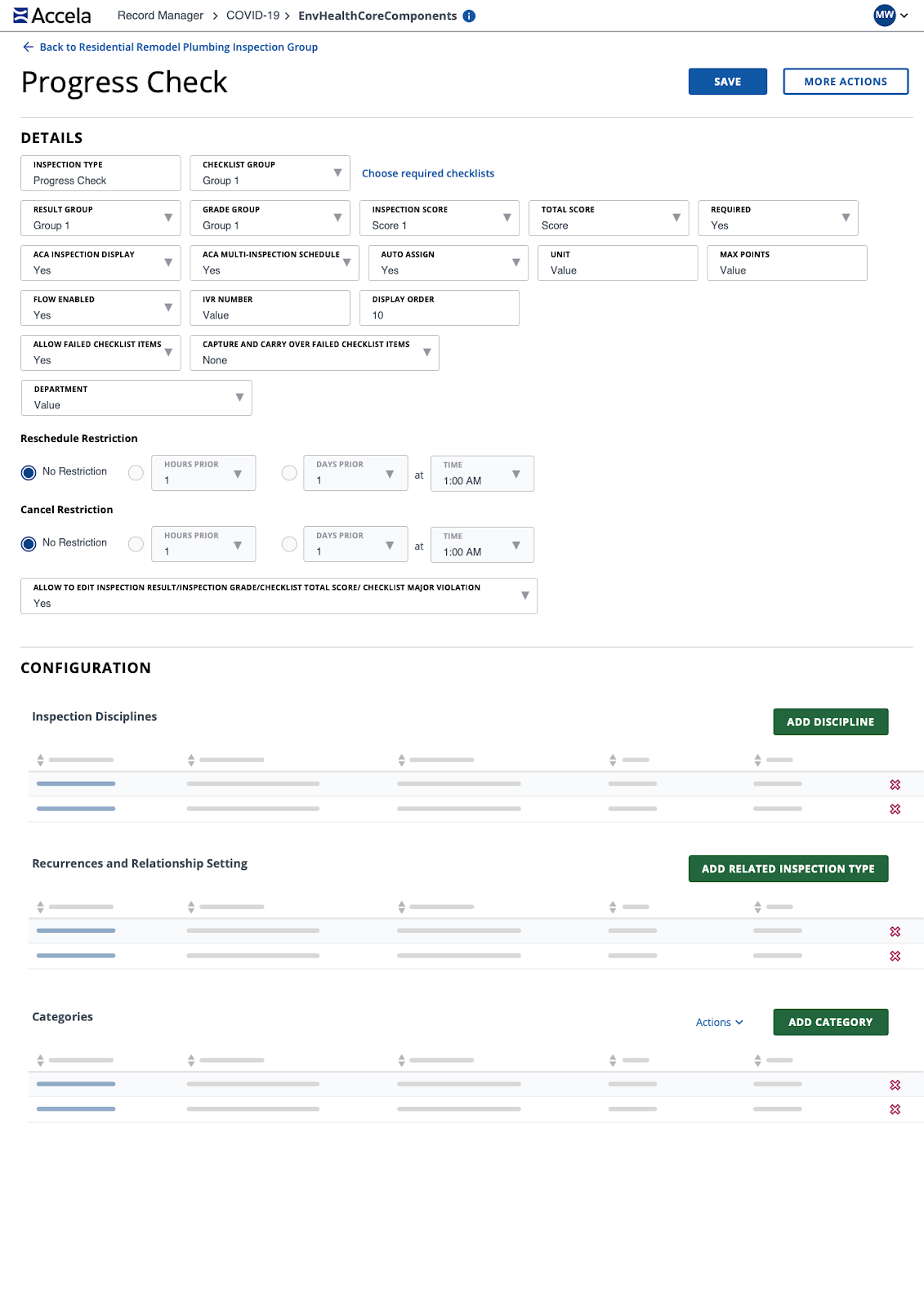
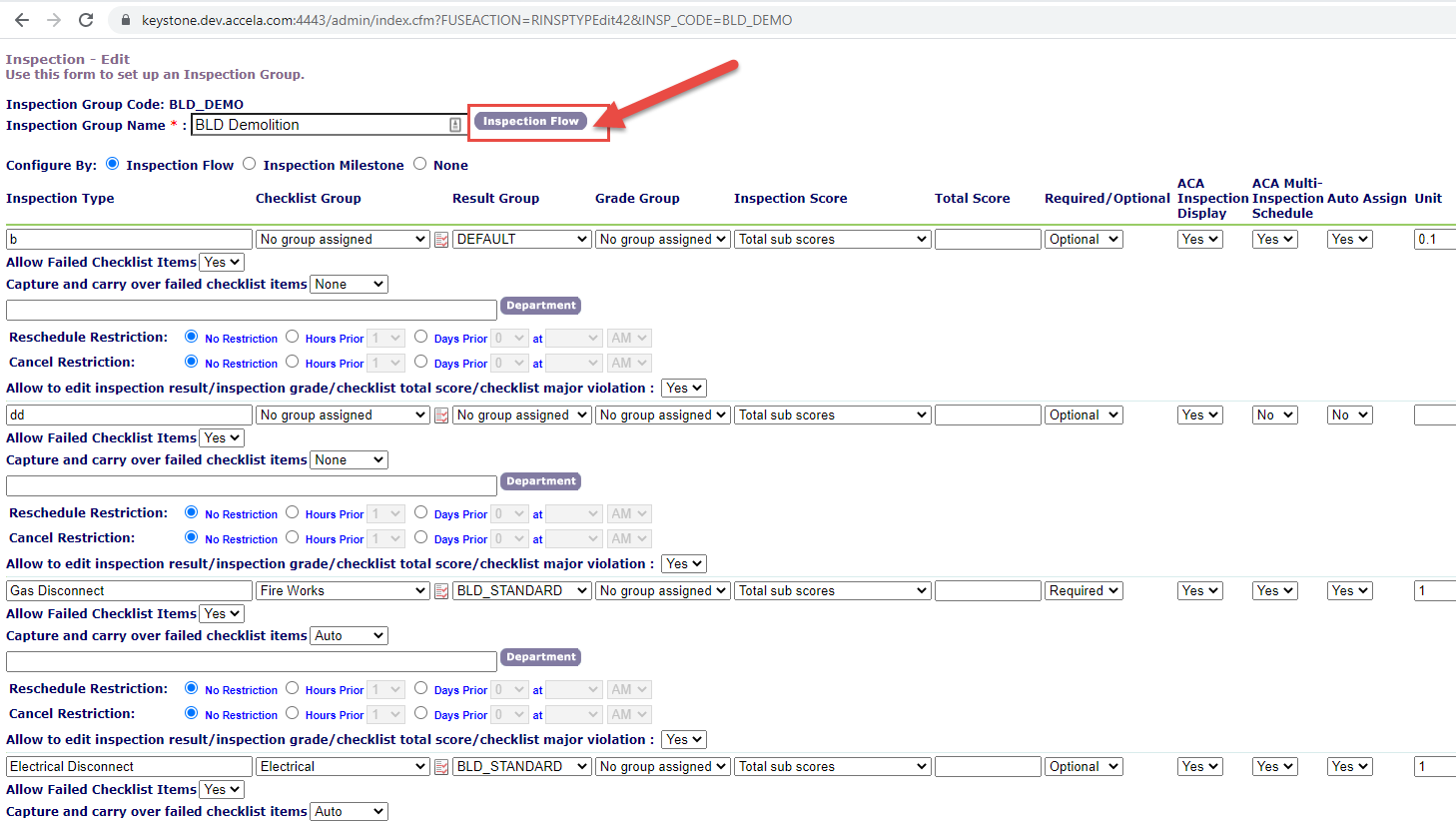
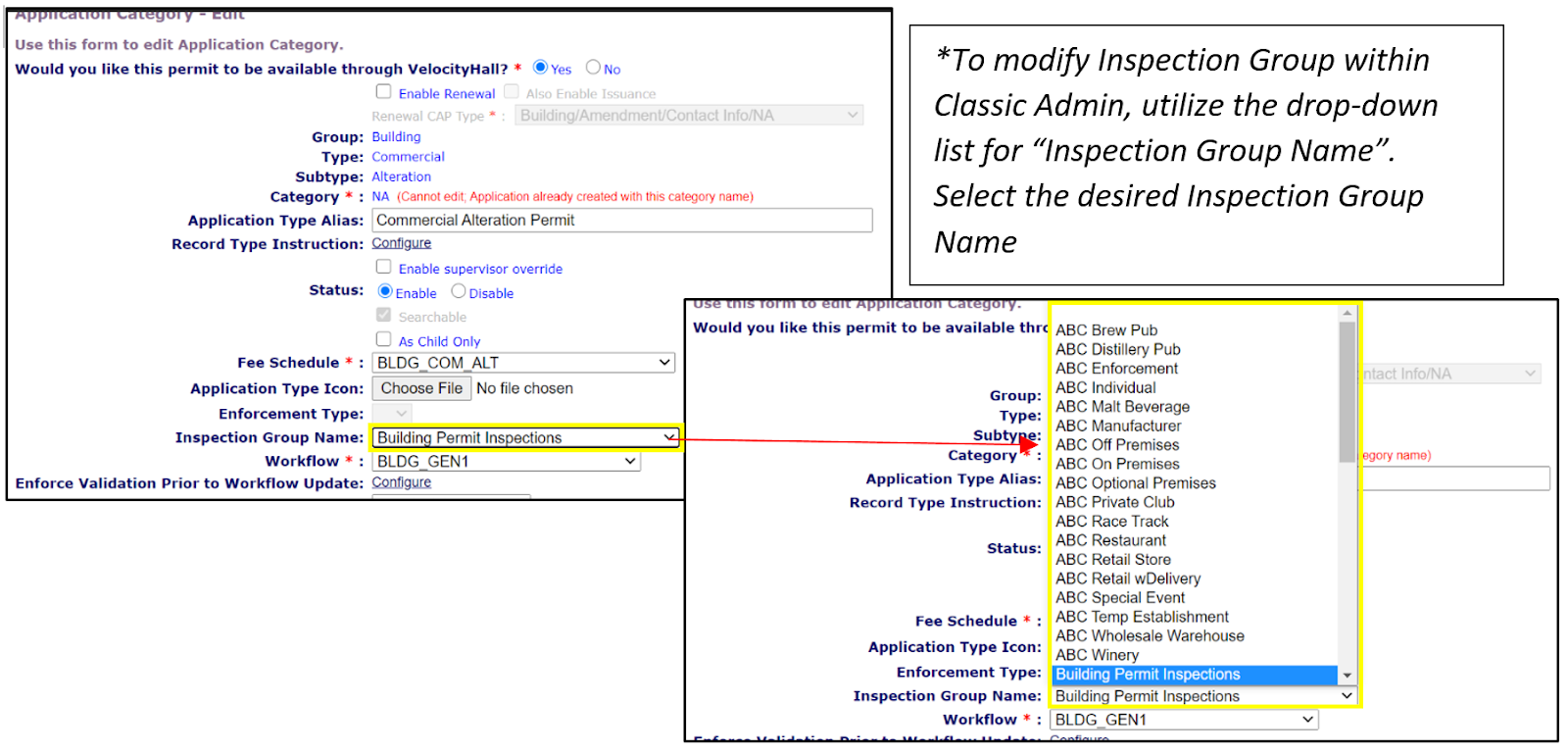
The administrative functionality for inspection groups was one of the most difficult pieces of functionality to implement because ...
- Parent/Child relationships are unclear
- Functionality and data is obscured
- Information architecture is ambiguous
- UI is too dense to scan
My Approach:
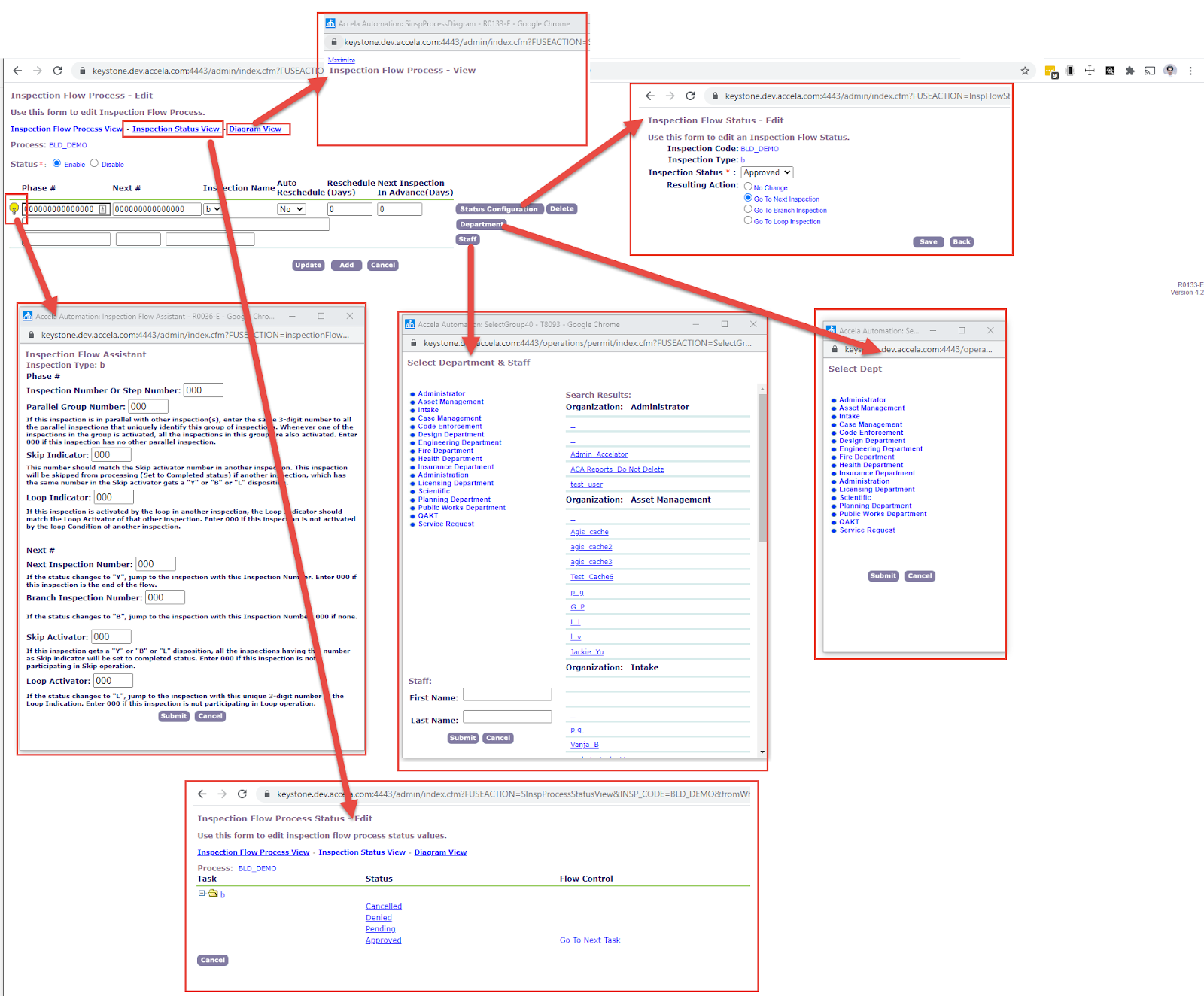
Using whiteboard and paper models I mapped the user’s journey and visualized proper data relationships.
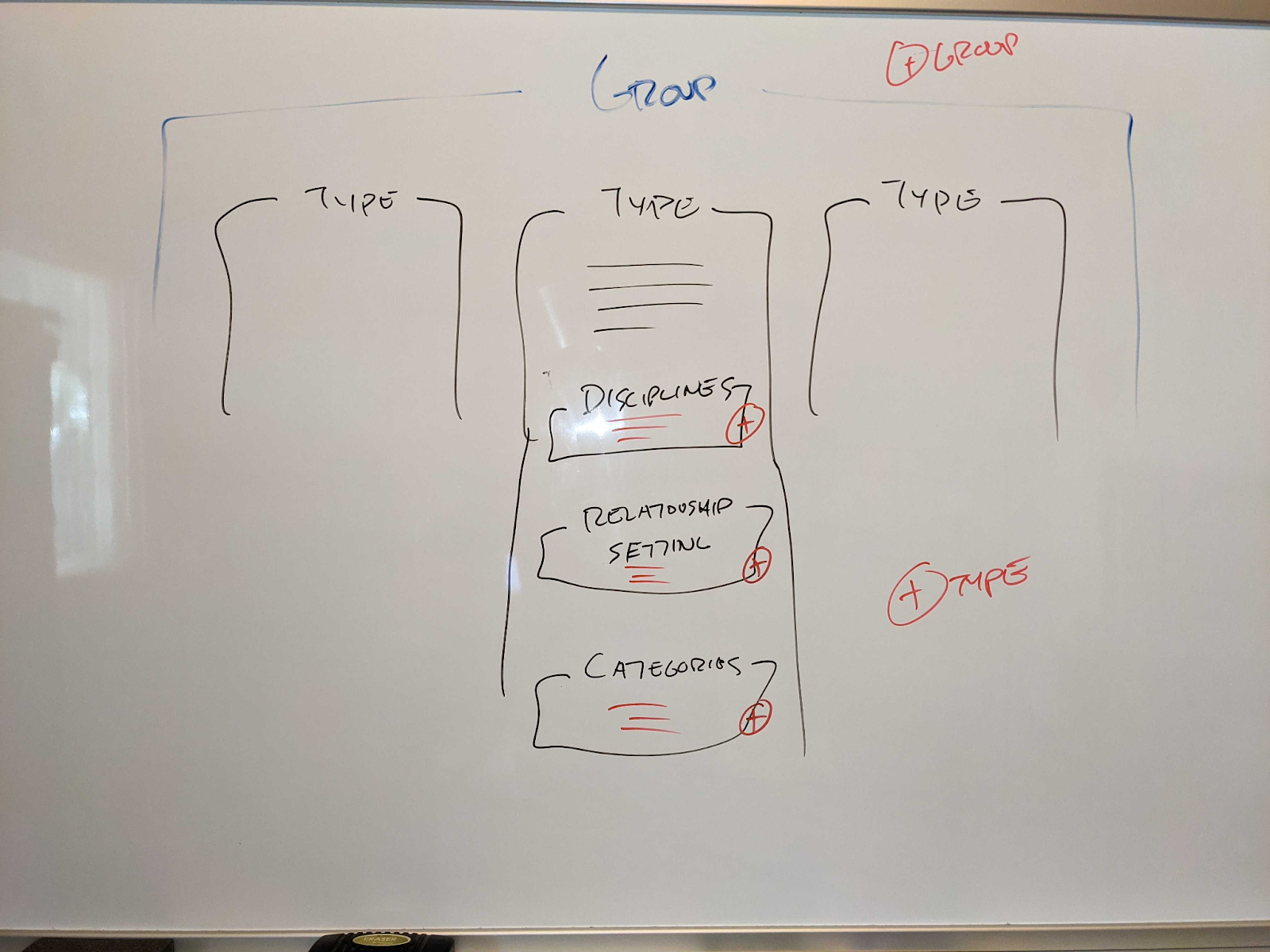
I tested and refined these models with stakeholders, subject matter experts, and a small group of users
I explored various components, layers, and page combinations to represent models. Accela maintains a design system built on PrimeNG components.
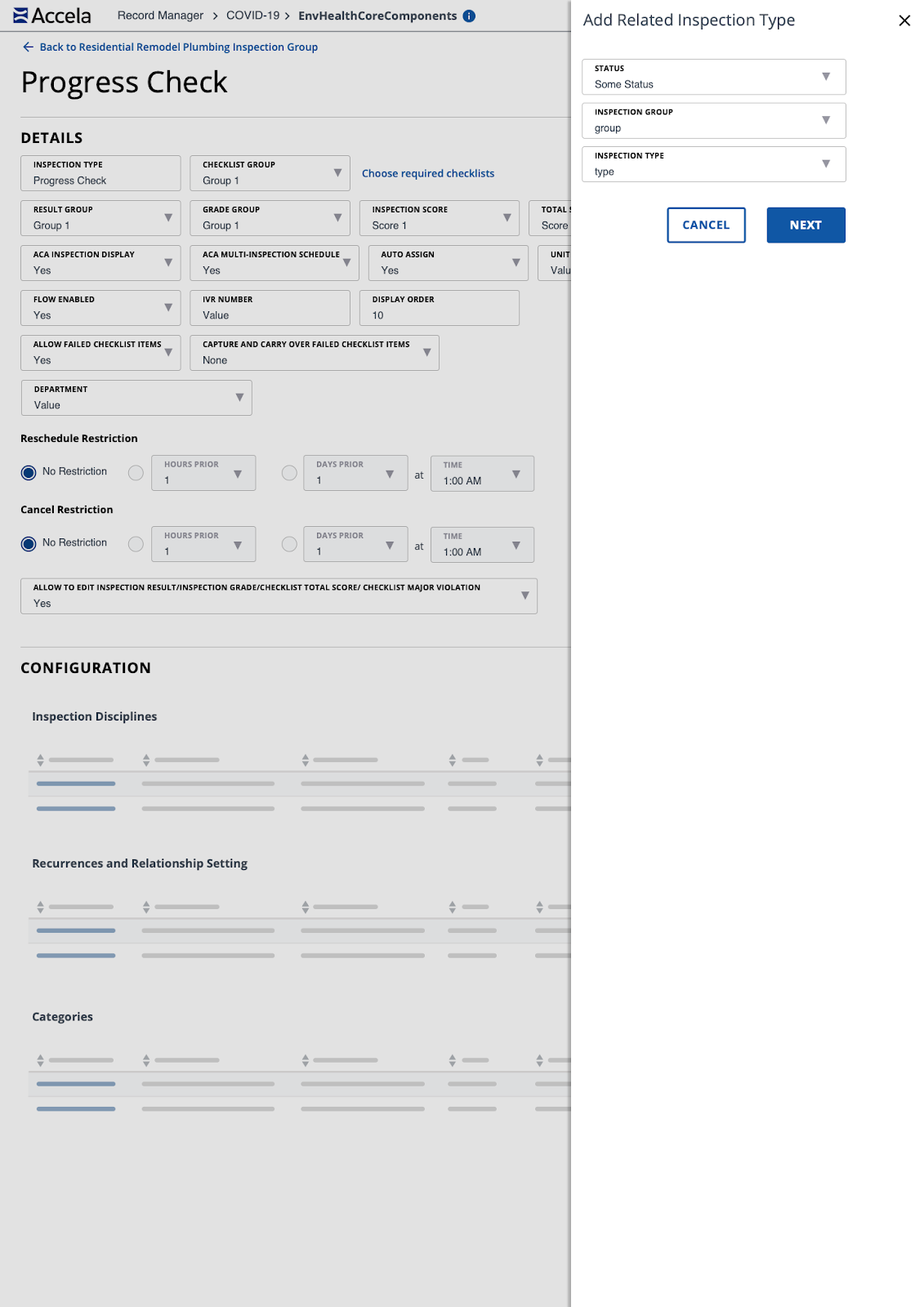
I applied design system components to create a wireframe design to test with users and developers
Ultimately, I delivered functional and visual acceptance criteria to developers.